


-
Imperfect E-reader Cases
Regular price From $10.00 AUDRegular priceUnit price per$35.00 AUDSale price From $10.00 AUDSale -
Adella Book & E-reader Sleeve
Regular price $30.00 AUDRegular priceUnit price per -
Camellia Kindle Case
Regular price $46.00 AUDRegular priceUnit price per -
Lacey Kindle Case
Regular price $46.00 AUDRegular priceUnit price per -
Adella Kindle Case
Regular price $46.00 AUDRegular priceUnit price per -
Mabel Kindle Case
Regular price $46.00 AUDRegular priceUnit price per -
 Sale
SaleNoelle Kindle Case
Regular price $20.00 AUDRegular priceUnit price per$40.00 AUDSale price $20.00 AUDSale -
 Sale
SaleSlow Burn Kobo Case
Regular price $28.00 AUDRegular priceUnit price per$45.00 AUDSale price $28.00 AUDSale -
 Sale
SaleAstoria Kobo Case
Regular price $28.00 AUDRegular priceUnit price per$45.00 AUDSale price $28.00 AUDSale -
Do Not Disturb Kobo Case
Regular price $28.00 AUDRegular priceUnit price per$45.00 AUDSale price $28.00 AUDSale -
 Sale
SaleSundust Kobo Case
Regular price $28.00 AUDRegular priceUnit price per$45.00 AUDSale price $28.00 AUDSale -
 Sale
SaleNoelle Kobo Case
Regular price $20.00 AUDRegular priceUnit price per$45.00 AUDSale price $20.00 AUDSale




Everbound The Shop 𐙚
Bookmarks
-
Bookish Bear Bookmark
Regular price $5.00 AUDRegular priceUnit price per$6.30 AUDSale price $5.00 AUDSale -
Always Reading Bookmark
Regular price $6.30 AUDRegular priceUnit price per -
Lost In Books Bookmark
Regular price $5.00 AUDRegular priceUnit price per$6.30 AUDSale price $5.00 AUDSale -
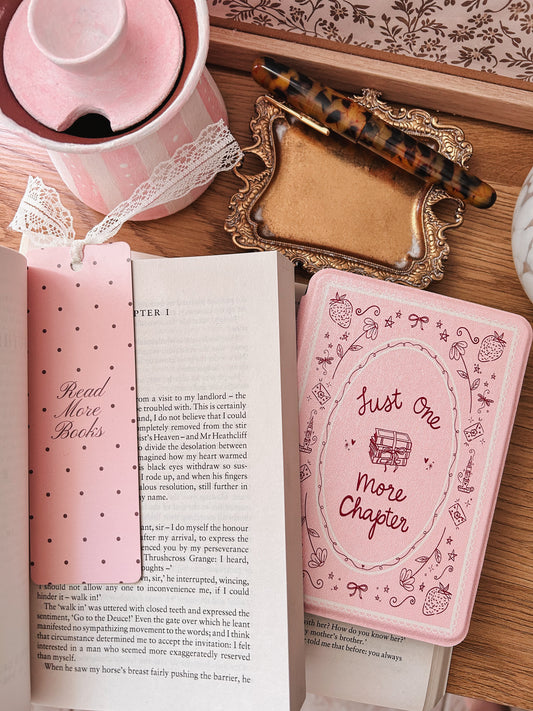
Read More Books Bookmark
Regular price $6.30 AUDRegular priceUnit price per


Before you fall in love with a case...let's make sure it fits!

✨ How to Find Your Kindle Model:
- Open your Kindle and tap Settings
- Go to Device Options
- Tap Device Info
- Look for your Model Name or Generation (e.g. Kindle 11th Gen, Paperwhite 12th Gen)
You can also check the box your Kindle came in — the generation is often listed near the bottom 💫
💗 Note: The Kindle (11th Gen) — also called the Kindle Basic — has a 6” screen.
The Paperwhite (11th Gen) is slightly larger at 6.8”.
Both are 11th Gen but different sizes, so be sure to check your model before ordering!
Your story, but make it whimsical.


Your next chapter deserves a dreamy case 💌